LogoSeedance 2.5 AI
  • Create
  • Agent
  • AI Image
  • AI Video
  • Pricing
Now Officially Released and Available for Public UseAugust 2025

Nano Banana Flash Image Generator

This high-speed cloud-native image model is built for rapid generation and snappy, low-friction edits. It excels when you need tight turnaround times, support for up to 10 reference images, and a streamlined editing workflow for concept drafts, marketing assets, or last-minute visual adjustments.

Loading...

Prompt:

auto

1:1

9:16

16:9

3:4

4:3

3:2

2:3

Model:

Loading...

Scene Examples 1
Step-by-Step Walkthrough for Working With Nano Banana Flash

Simplify Your Image Generation and Editing Workflow With Nano Banana Flash Right on This Platform

Start with a clear, focused prompt, upload reference images as required, and cycle through quick, precise adjustments until your concept is ready to share with your team or finalize for production.

01

Define Your Visual Task Clearly

Explicitly outline the visual task you’re tackling: note which elements you want to create or adjust, what should stay consistent, and the intended purpose of your finished asset.

02

Upload Reference Images to Nail Your Creative Vision

Use up to 10 reference images when you want Nano Banana Flash to blend product branding, layout, styling, or mood within a fast, simplified workflow.

03

Iterate Using Quick, Focused Tweaks

Ask for one or two focused tweaks at a time, so you can quickly compare different versions and keep your editing workflow running smoothly.

Key Strengths of Nano Banana Flash

What Makes Nano Banana Flash Stand Out When Speed Is Non-Negotiable

Nano Banana Flash is the fast option in this model lineup, perfect for when edits, mood boards, and social media assets need to come together quickly without waiting for a more resource-heavy, fully polished render.

Built for Fast Edit Turnaround

Nano Banana Flash shines when room refreshes, product swaps, or layout tweaks need to be completed quickly within a cloud-native editing tool.

This makes it ideal for quick creative iteration and fast, on-demand review adjustments.
It works best when you have a clear creative vision and prioritize speed over ultra-polished final results.
Choose it when your main goal is to quickly work through multiple creative options.

Ideal for Storyboard-Style & Paneled Assets

Nano Banana Flash also shines for mood boards, storyboard panels, and quick multi-part layouts when your image needs to share multiple creative ideas in one frame.

This is perfect for product storyboards and product launch sequence ideas.
Its simplified workflow lets you create multiple board versions in one work session.
It’s ideally suited for tasks where speed is a key part of your project requirements.

Perfect for Light Multi-Image Creative Direction

Nano Banana Flash also works well for projects where multiple reference inputs create a collage-style or mood-board image, all within a quick, low-friction workflow.

This is great for sneaker design variants, travel product kits, and quick comparison sheets.
It provides more structured creative direction than a single-image prompt, without switching to a slower, more resource-heavy model.
Pick it when you need creative direction quickly, instead of a fully polished final outcome.

Perfect for Fast Social Launch Assets

Nano Banana Flash is a practical option for bite-sized launch visuals, quick promotional content, and social-media-focused creative work when fast turnaround is a key project requirement.

This makes it ideal for quick ad variants and seasonal social media creative assets.
It delivers its strongest results when your image’s core goal is clear and straightforward.
Choose it when speed and output volume matter more than ultra-polished final details.
Top Use Cases

Ideal Use Cases for Nano Banana Flash

Nano Banana Flash stands out when your project needs rapid concept development, fast edits, or multiple short cycles of visual iteration all through one cloud-native image tool.

Fast Social & Campaign Drafts

Perfect for social media launch visuals, ad campaign concepts, and quick creative drafts when you want a quick initial pass instead of a fully polished final asset right off the bat.

Room, Product, and Scene Refresh Edits

Great for quick before-and-after style adjustments where the core structure of your scene or product is already finalized, and you want to update its look, styling, or small details.

Multi-Image Blends & Mood Boards

Bring in multiple reference images to blend product design elements, textures, or brand identity into a quick, cohesive conceptual outcome.

Storyboards & Sequential Variations

Use Nano Banana Flash for storyboard panels, draft sequences, or quick versioning when your main goal is speed and wide creative coverage over a single, perfectly polished final image.

Writing Effective Prompt: Best Practices & Real-World Examples

How to Craft More Effective Nano Banana Flash prompts: Real-World Use Cases

These examples showcase tasks where Nano Banana Flash shines: fast edits, practical layout tweaks, and quick concepting with multiple short prompt iteration cycles.

Interior edit

Top-Tier prompt Alignment Benchmarks

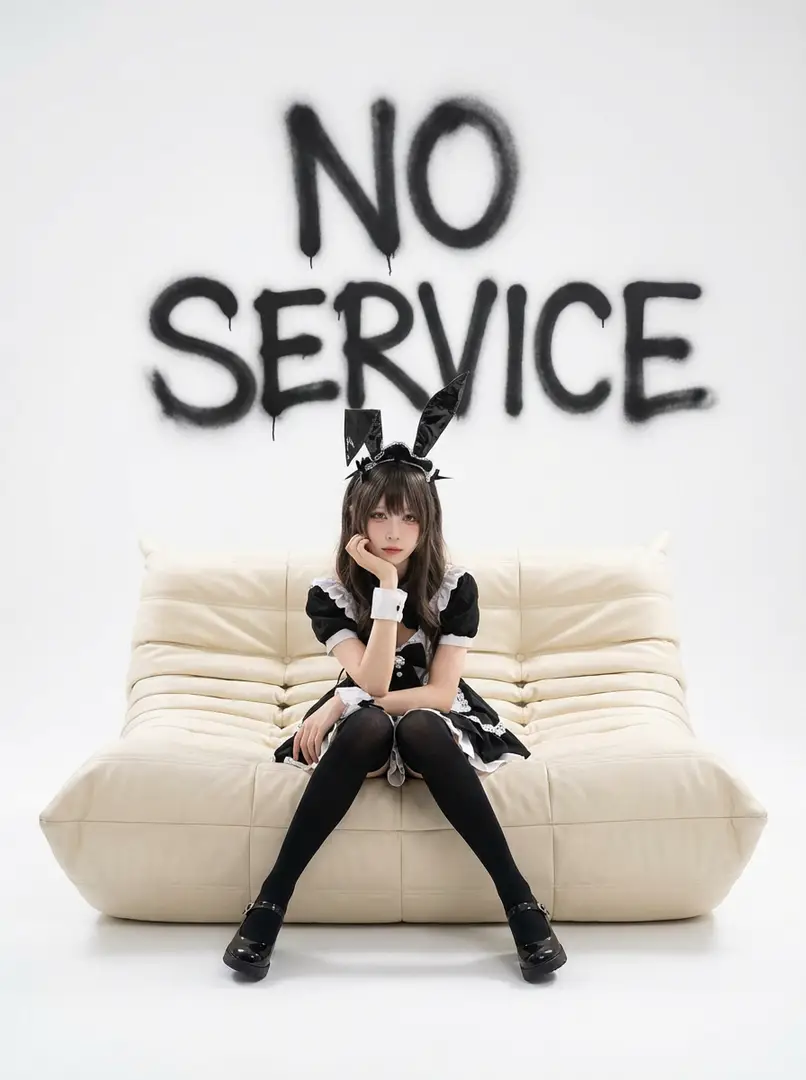
Ideal for quick room refreshes where the core layout stays consistent, but you want to quickly update the space’s appearance.
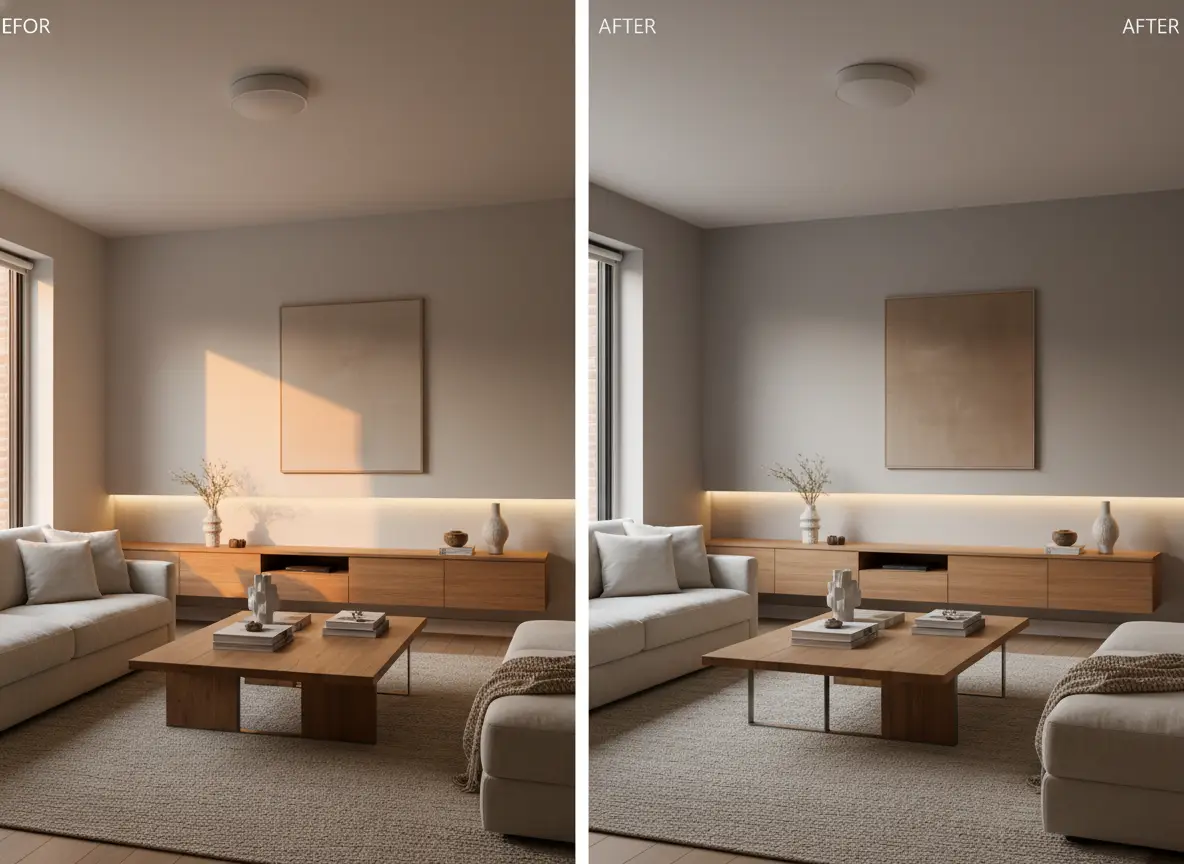
A quick living-room refresh edit with warmer materials and a more polished styling direction.

Quick Living Room Refresh Edit

Proven industry-leading Prompt best-practice generation framework

[what stays] + [what changes] + [new style direction] + [lighting mood] + [usage goal]

Dive Into Full prompt Documentation and SpecificationsUnwrap Full Detailed Breakdown

In-Depth prompt Breakdown

Keep the living room’s layout and camera angle exactly as they appear in the provided reference image. Refresh the space with warm oak accents, a softer linen sofa, soft indirect afternoon lighting, and a calmer, high-end home styling direction. Create a realistic interior refresh made for a design studio presentation, not a full-scale renovation.

Key Elements That Enable This Prompt to Produce Outstanding Results

This focused, narrow edit request is perfect for Nano Banana Flash, since the adjustment list is clear and easy to iterate on across multiple quick cycles.

Target Final Generated Outcome

A realistic before-and-after style refresh for interior design, staging, or campaign concept work.

Expert Pro Tips for Creative Professionals

  • Begin by listing which elements should stay consistent to keep the scene matched to your reference image.
  • Restrict your edit scope to a narrow enough range for a quick model to follow clearly and accurately.
Storyboard

Top-Tier prompt Alignment Benchmarks

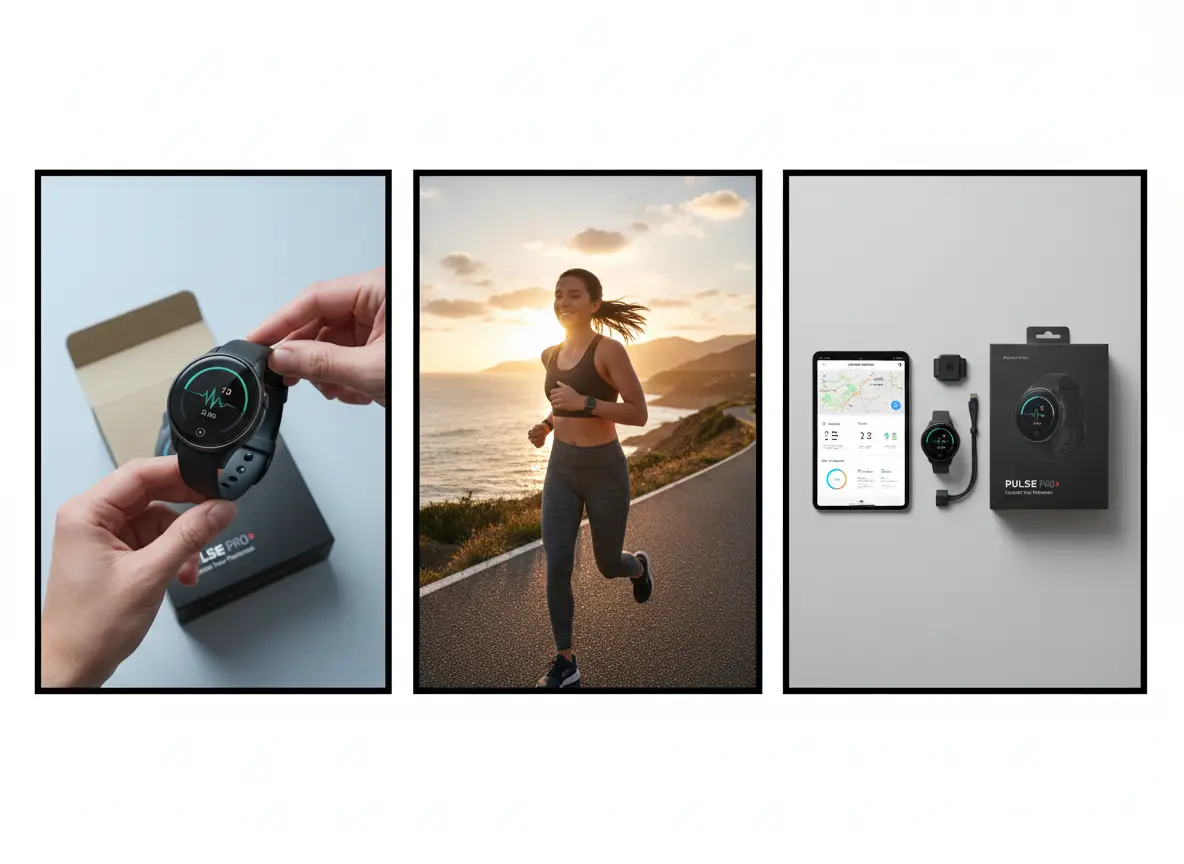
Great for quick panel-based concepting when you want to visualize a simple sequence before moving to full production polishing.

A three-panel product storyboard for a wearable device launch concept.

Three-Panel Product Storyboard

Proven industry-leading Prompt best-practice generation framework

[subject] + [number of panels] + [what each panel shows] + [visual style] + [presentation note]

Dive Into Full prompt Documentation and SpecificationsUnwrap Full Detailed Breakdown

In-Depth prompt Breakdown

Make a three-panel storyboard for a wearable fitness tracker launch. Panel 1: Close-up product reveal on a clean, neutral background. Panel 2: Athlete wearing the tracker outdoors at sunrise. Panel 3: Product resting next to the companion app screen and packaging. Use a modern commercial aesthetic, clear panel separation, and a quick concepting vibe instead of a fully polished ad campaign.

Key Elements That Enable This Prompt to Produce Outstanding Results

Nano Banana Flash is ideal for this use case, since it lets you create multiple frames or variations quickly without waiting for a more resource-heavy production-style render.

Target Final Generated Outcome

A quick storyboard draft for campaign planning, internal alignment, or creative direction.

Expert Pro Tips for Creative Professionals

  • Note the exact number of panels you need for your sequence.
  • Map a clear purpose for each panel to keep the storyboard flow easy to follow and understand.
Multi-image blend

Top-Tier prompt Alignment Benchmarks

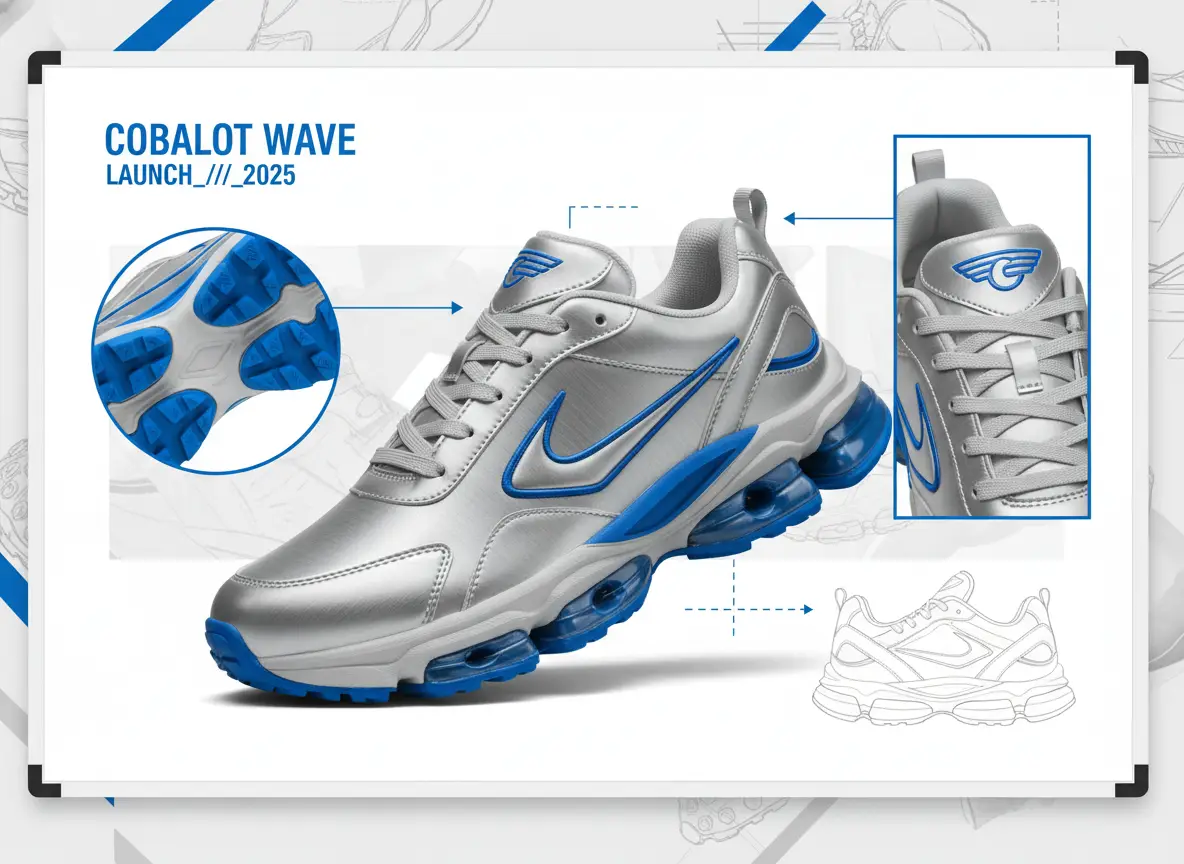
Ideal for quick mood-board style blends that combine material cues, shoe silhouette, and campaign branding from multiple reference images.

A sneaker collage concept combining references for silhouette, materials, and campaign styling.

Multi-Image Sneaker Collage Concept

Proven industry-leading Prompt best-practice generation framework

[hero object] + [reference roles] + [blend direction] + [layout] + [brand mood]

Dive Into Full prompt Documentation and SpecificationsUnwrap Full Detailed Breakdown

In-Depth prompt Breakdown

Make a sneaker concept collage using multiple reference images. Assign one reference to define the shoe’s silhouette, another for metallic silver material cues, a third for bright cobalt accent details, and a fourth to set the campaign mood. Present the final result as a quick concept board with one hero sneaker, two supporting detail angles, and bold sportswear launch energy on a clean, neutral background.

Key Elements That Enable This Prompt to Produce Outstanding Results

By giving each reference a clear, defined role, prompt can blend the inputs smoothly without creating visual clutter or disjointed outcomes.

Target Final Generated Outcome

A quick blend-style concept board that helps a creative team compare directions before choosing a final path.

Expert Pro Tips for Creative Professionals

  • Explicitly note what each reference image controls for the model.
  • Ask for one main hero object alongside a small set of supporting views, instead of an overcrowded collage.
Social draft

Top-Tier prompt Alignment Benchmarks

Ideal for social media launch visuals when speed is a higher priority than polishing every small detail in the final image.

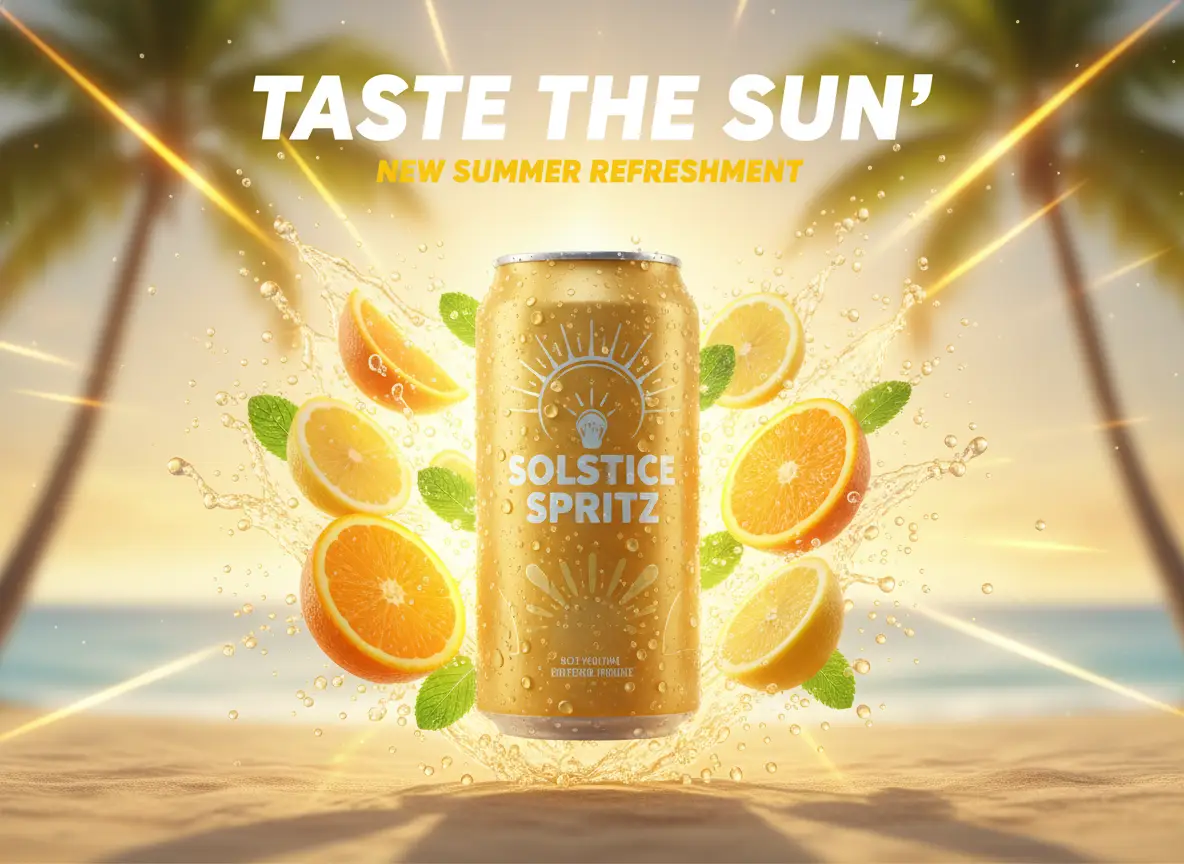
A quick social launch visual for a sparkling citrus beverage campaign with bold colors and product focus.

Quick Social Launch Visual

Proven industry-leading Prompt best-practice generation framework

[campaign subject] + [hero composition] + [headline mood] + [platform usage] + [color / lighting]

Dive Into Full prompt Documentation and SpecificationsUnwrap Full Detailed Breakdown

In-Depth prompt Breakdown

Make a quick social media launch visual for a sparkling citrus beverage. Highlight one cold can covered in condensation, a bright splash of citrus slices, a clean centered composition, and space for a short headline at the top. Use warm summer sunlight, bold yellow and orange accent colors, and a visual style that feels made for an Instagram announcement draft.

Key Elements That Enable This Prompt to Produce Outstanding Results

This concise, social-media-focused prompt is short, straightforward, and easy to iterate on, which aligns perfectly with Nano Banana Flash’s core speed benefit.

Target Final Generated Outcome

A quick social-first campaign draft that can be reviewed or iterated on quickly.

Expert Pro Tips for Creative Professionals

  • Note the target platform or placement to make sure the crop feels intentional and well-suited.
  • Keep your headline instructions simple if text isn’t the main focus of your visual.
When to Choose Nano Banana Flash

Pick Nano Banana Flash When Fast Iteration Matters More Than Maximum Polishing

Nano Banana Flash is the perfect choice when you want to quickly move through creative ideas, quick edits, or short visual iteration cycles without turning every request into a resource-heavy production render.

Pick Nano Banana Flash When the Project Requires Speed & Multiple Quick Cycles

Choose Nano Banana Flash when your project needs speed and multiple quick iteration cycles. Use it for draft-focused workflows, quick edits, storyboards, and marketing concepting where the main value comes from quick creative iteration and wide visual coverage.

Switch to a Different Model When Polishing, Grounding, or Open Deployment Are Higher Priorities

Switch to a different model when polished fidelity, web grounding, or open-source deployment are more important. Opt for Nano Banana Pro for more polished, structured final outputs, Nano Banana 2 when optional web grounding is critical, and Z-Image when open model weights or local deployment are part of your project needs.

Community Insights

Creator Video Walkthroughs & Independent Reviews of Nano Banana Flash

These videos offer independent creator perspectives on the quick Nano Banana workflow and how it’s used for rapid cloud-native image creation and editing projects.

Curated AI Video Generation Showcase Collection

FAQs

FAQ

Everything You Need to Know About Seedance 2.5

What is Nano Banana Flash?

Nano Banana Flash is the fast cloud-hosted image model in Google’s model roster, crafted for generation and editing workflows where speed, quick iteration, and responsive natural language adjustments matter more than ultra-polished final outputs.

What is Nano Banana Flash best for?

Nano Banana Flash excels at fast ad drafts, quick room refreshes, multi-image collages, storyboard panels, and impromptu product or social media edits when you need multiple rounds of iteration without waiting for a more resource-heavy model to finish its render.

Does Nano Banana Flash support image input here?

Absolutely. On this platform, Nano Banana Flash supports up to 10 reference images, making it ideal for quick mood boards, style-blending requests, and streamlined editing workflows that use multiple source inputs.

Which aspect ratios does Nano Banana Flash support here?

Nano Banana Flash works with 1:1, 9:16, 16:9, 3:4, 4:3, 3:2, 2:3, plus auto mode directly on this page. There’s no dedicated resolution toggle for this model via this interface.

How do I write better Nano Banana Flash prompts?

For optimal results, write clear, straightforward prompts. Explicitly note which elements should stay unchanged, which need tweaks, and the intended use of your final asset. Nano Banana Flash works best when your prompt is specific, simple to iterate on, and free of overly dense style keyword bloat.

When should I use Nano Banana Flash instead of Nano Banana Pro or Nano Banana 2?

Pick Nano Banana Flash when you value faster iteration and a streamlined, low-friction cloud workflow. Opt for Nano Banana Pro if polished fidelity and sharp structural detail are your top priorities. Select Nano Banana 2 when web grounding access and real-time, up-to-date data pipelines are essential for your project.

Is Nano Banana Flash good for editing existing images?

Absolutely. It shines at quick edit passes, room or product refreshes, layout tweaks, and multi-image blends when your main goal is quickly exploring creative options.

Can I use Nano Banana Flash images commercially?

For commercial production projects, treat outputs from Nano Banana Flash the same as you would results from any other cloud-hosted image model. Commercial viability hinges on your specific use case, your internal review guidelines, and the platform’s official terms of service.

Still have unanswered questions? Our dedicated support team is here to help you

Related Image Models

Compare Nano Banana Flash to Other Image Models Right Here

If Nano Banana Flash isn’t the right fit for your project, compare it to these other model pages to access more polished outputs, improved web grounding support, or a different prompt and deployment trade-off.

Nano Banana Pro Image Generator

Choose Nano Banana Pro for projects that need a more polished final output and stronger structural integrity before the asset leaves the generator tool.

Browse Our Curated List of Related AI Models

Nano Banana 2 Image Generator

Compare your needs to Nano Banana 2 if optional web grounding and real-time, up-to-date data workflows matter more than raw speed.

Browse Our Curated List of Related AI Models

Flux 2 Image Generator

Try Flux 2 if you want a unique visual aesthetic and an alternative cloud-native workflow for prompt-driven image generation.

Browse Our Curated List of Related AI Models

GPT-4o Image Generator

Compare your project to GPT-4o when readable text and layout-focused cloud editing are your top priorities.

Browse Our Curated List of Related AI Models

Test Nano Banana Flash Right Now

Open the generator tool, start with a clear, focused prompt, and iterate quickly through quick edits, style blends, and marketing campaign drafts.

Resources
  • Blog
  • Create
  • Scenes
  • Works
  • Prompts
  • Image to Prompt
  • Batch Image to Prompt
Company & Legal
  • About
  • Contact
  • Privacy Policy
  • Terms of Service
  • Refund Policy
Image Models
  • Z-Image
  • GPT-4o
  • Flux 2
  • Flux 2 Pro
  • Flux 2 Klein
  • Qwen Image 2
  • Seedream 4.0
  • Seedream 4.5
  • Seedream 5.0
  • Grok Imagine
  • Nano Banana Pro
  • Nano Banana Flash
  • Nano Banana 2
Video Models
  • Google Veo 3.1
  • Google Veo 3.1 Lite
  • Google Veo 3.1 Pro
  • Seedance 1.5 Pro
  • Seedance Fast
  • Seedance Quality
  • Seedance 2.0
  • Hailuo 02
  • Kling v2.6
  • Kling v2.5 Turbo
  • Kling v2.1
  • Kling v2.1 Master
  • Kling O1
  • Kling v3.0
  • Kling v3.0 Pro
LogoSeedance 2.5 AI

Powered by Seedance 2.5 AI | Fast Video Generation | Professional Quality

Email

This website is an independent third-party service built around Seedance-related workflows. We are not the official website of ByteDance or Seedance. Seedance and related trademarks belong to their respective owners.

© 2026 Seedance 2.5 AI All Rights Reserved. DREAMEGA INFORMATION TECHNOLOGY LLC