LogoSeedance 2.5 AI
  • Create
  • Agent
  • AI Image
  • AI Video
  • Pricing
Now Officially Released and Available for Public UseMarch 2025

GPT-4o Image Generator

A multimodal image creation and editing model built for ultra-precise text rendering, uncompromising adherence to structured layouts, and multi-reference input compatibility, this tool targets workflows that require clear, legible copy, intentional visual hierarchy, or perfectly aligned reference materials. On this page, you can utilize it for text-to-image and reference-guided edits using up to five uploaded reference images.

Loading...

Prompt:

1:1

2:3

3:2

Model:

Loading...

Scene Examples 1
Core Workflow for GPT-4o

Leverage GPT-4o on this page to create text-to-image and reference-aligned image edits

Begin with a detailed prompt, upload up to five reference images to align your output with your target aesthetic, and refine your final result with follow-up prompts directly within this editing workflow.

01

Draft a Structured Image Brief as a Clear Layout Guide

Outline your central subject, desired composition, materials, lighting setup, and any exact copy that needs to appear in the final image.

02

Upload Reference Images to Align With Your Target Visual Aesthetic

Upload up to five reference images to guide GPT-4o toward matching a specific product design, color palette, scene, or targeted visual direction.

03

Tweak Your Final Output With Follow-Up Prompts

Adjust the prompt, request layout tweaks, or flag elements to keep until your final image matches your exact vision.

Core Strengths of GPT-4o

What Makes GPT-4o Stand Out as a Top-Tier Hosted Image Tool

GPT-4o shines when your project requires strict adherence to a detailed brief, consistent readable text across generations, or integration of multiple reference images into a single streamlined hosted workflow.

Sharp Text Rendering & Precise Layout Oversight

OpenAI prioritizes text rendering as a core feature, making GPT-4o far more reliable for posters, menus, product labels, and annotated assets than most single-focus image models.

This is critical when both headline copy and supporting text need to remain clear and legible after generation.
It works perfectly for event posters, café menus, packaging labels, technical diagrams, and advertising assets with short, intentional copy blocks.
You can clearly outline layout hierarchy in your prompt instead of leaving text placement up to random chance.

Highly Detailed Instruction Adherence

GPT-4o simplifies your workflow by letting you manage composition, styling, callouts, and precise copy requirements all within a single prompt, with no need to switch between separate tools.

It performs far better with creative-brief style prompts than standard keyword-focused image tools.
This works perfectly for advertising drafts, how-to explainers, and product concept boards.
You can keep refining your concept without leaving the hosted editing workflow to ensure consistent, unified results.

Multi-Reference Image Capabilities

OpenAI provides end-to-end image generation and editing with visual inputs, and this page lets you use up to five references for GPT-4o.

This is extremely valuable when multiple images define your product, color palette, styling, or spatial layout.
It outperforms single-reference workflows when multiple input visuals all shape your final design.
Your final output will stay closer to your intended brief when each reference has a clear, defined purpose.

Ideal for Diagrams & Step-by-Step How-To Visuals

GPT-4o isn’t restricted to photorealistic advertising. It shines at technical diagrams, numbered step-by-step workflows, and information graphics where structural clarity is just as important as visual style.

This expands use cases beyond standard beauty shots or cinematic concept art.
It’s a great option when your image needs to clearly explain a process or compare multiple items.
This works perfectly for onboarding guides, educational content, packaging instructions, and internal product updates.
Key Use Cases

High-Impact Project Use Cases for GPT-4o

GPT-4o shines for text-focused layouts, annotated visual assets, reference-aligned edits, and workflows that depend on a detailed prompt to preserve structure and consistency across all outputs.

Campaign Posters & Branded Signage With Dynamic Copy

Leverage GPT-4o for product launch posters, café menus, storefront signage, and event announcement materials where copy is a core part of the visual design.

Branded Product Concept Boards & Advertising Draft Concepts

Create structured product mood boards, labeled mockups, and marketing visuals that balance intentional composition, detailed product photography, and concise explanatory copy.

Multi-Reference Edits for Unified Branding

Upload multiple reference images if you want your final output to closely align with a specific product identity, color palette, or pre-defined design direction.

Instructional Diagrams & Step-by-Step How-To Explainer Visuals

Produce numbered step-by-step diagrams, quick how-tos, and annotated visuals where your image needs to both educate and look polished.

Prompt Prompt Best Practices and Real-World Examples

Crafting More Effective GPT-4o prompts: Practical Real-World Examples

Each example card breaks down a GPT-4o prompt framework, shares a sample generated output, and highlights the details that help the model turn your vision into reality exactly as you want. We focus on structural clarity, precise wording, and the unique role each reference image plays in guiding the model’s final output.

Poster with copy

Top-Tier prompt Alignment Benchmarks

Perfect for poster layouts where the headline, subheading, and event details all need to stay clear and easy to read.
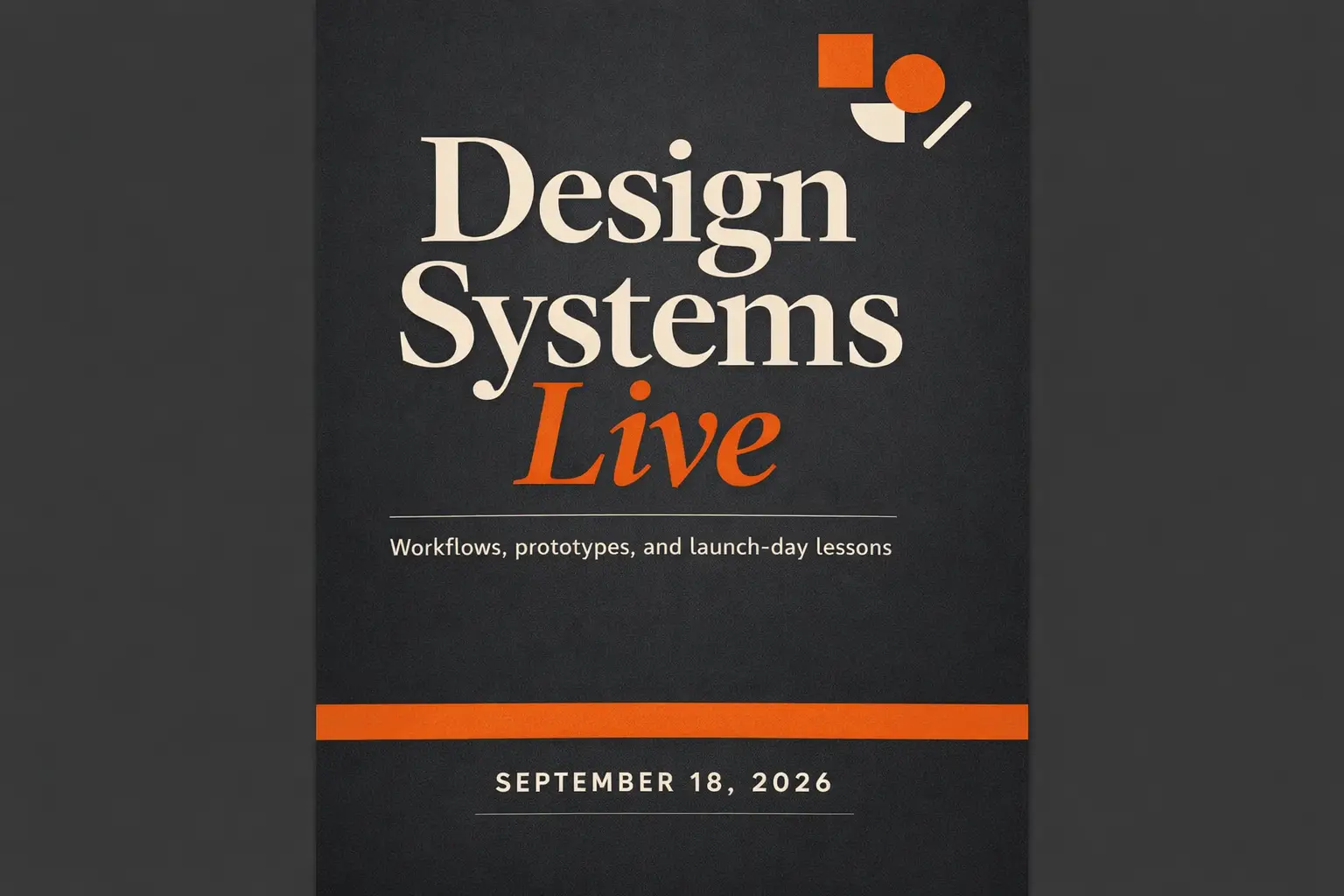
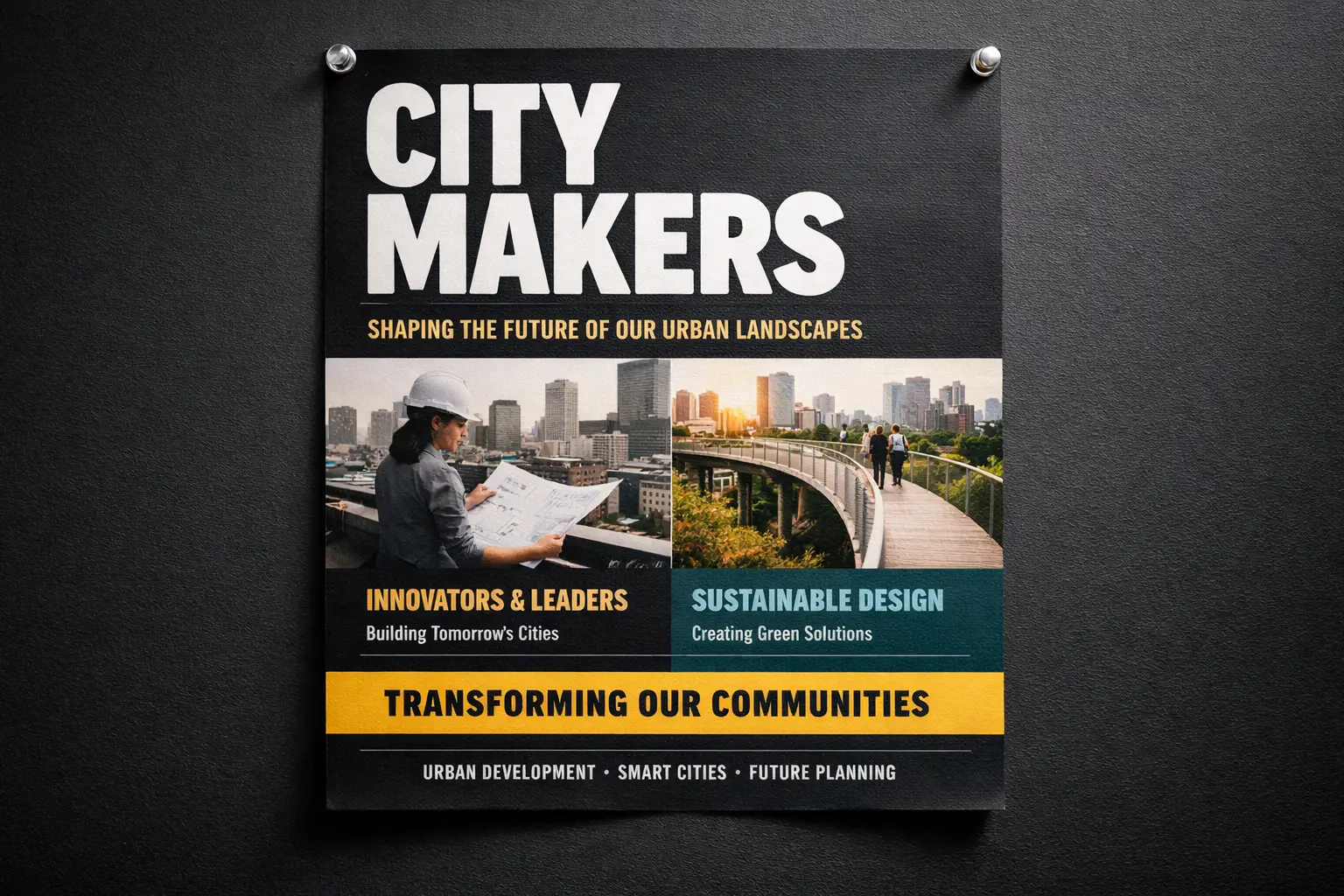
A conference launch poster with a bold headline and smaller supporting copy arranged in a clean visual hierarchy.

Campaign Poster With Crisp, Readable Headline Copy

Proven industry-leading Prompt best-practice generation framework

[poster subject] + [exact headline text] + [layout hierarchy] + [color direction] + [ad or event context]

Dive Into Full prompt Documentation and SpecificationsUnwrap Full Detailed Breakdown

In-Depth prompt Breakdown

Design a sleek campaign poster for a creative industry conference. Highlight a bold main headline: "Design Systems Live". Include a smaller subheading: "Workflows, prototypes, and launch-day takeaways". Add a date line that reads "September 18, 2026". Use a deep charcoal background, warm orange accent blocks, modern editorial typography, ample spacing, and a layout that feels like a premium event poster instead of a basic flyer.

Key Elements That Enable This Prompt to Produce Outstanding Results

GPT-4o outperforms most general-purpose image models for text and layout alignment, making it ideal for projects where copy is a core part of the visual layout.

Target Final Generated Outcome

A text-focused poster concept for event marketing, website landing pages, and social media announcement assets.

Expert Pro Tips for Creative Professionals

  • Enclose exact copy in quotation marks when the precise wording is non-negotiable.
  • Separate hierarchy instructions from style details so the model recognizes text as a structural element, not just decorative copy.
Product marketing

Top-Tier prompt Alignment Benchmarks

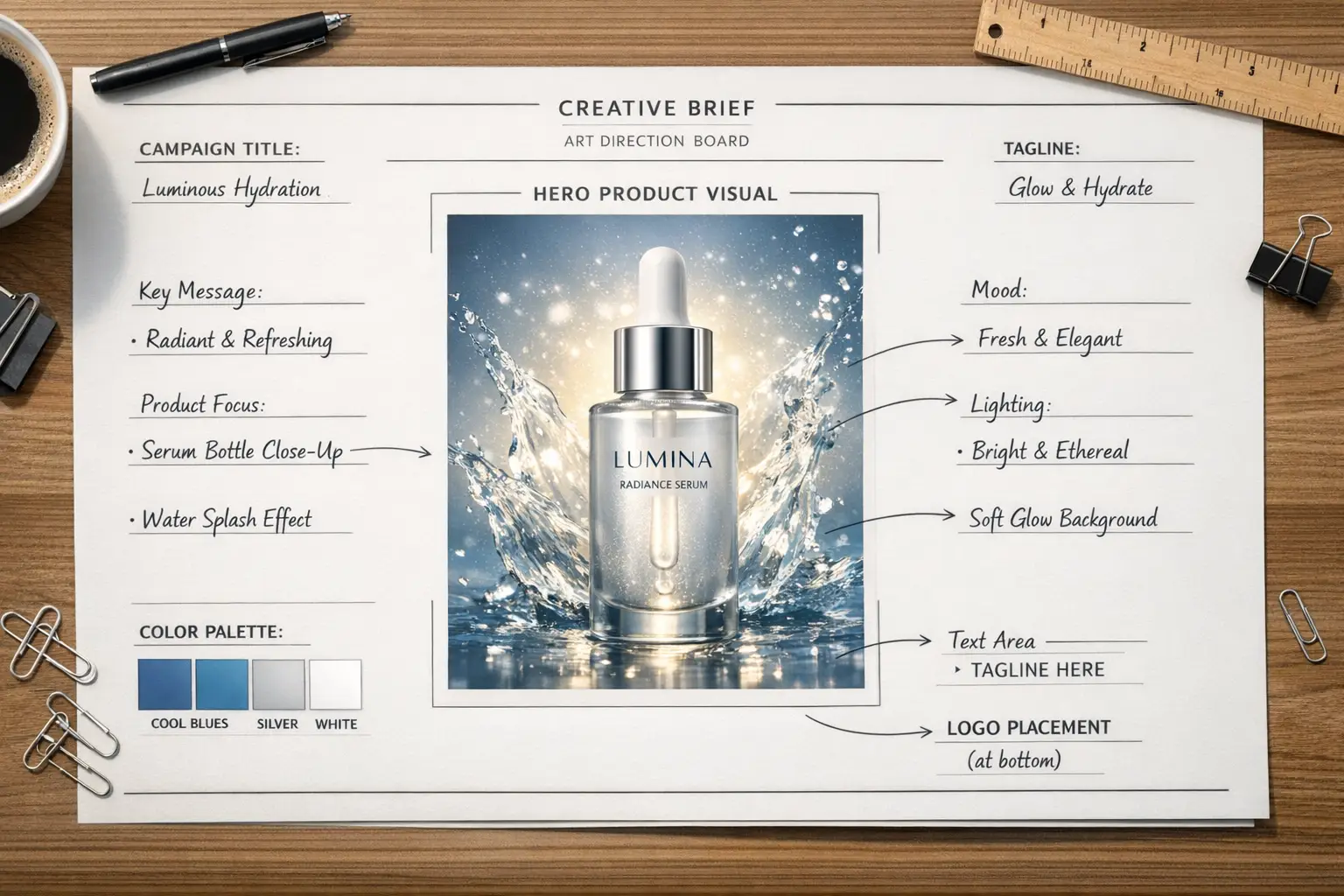
Ideal for branded product concepts that need labels, callouts, and structured layout.

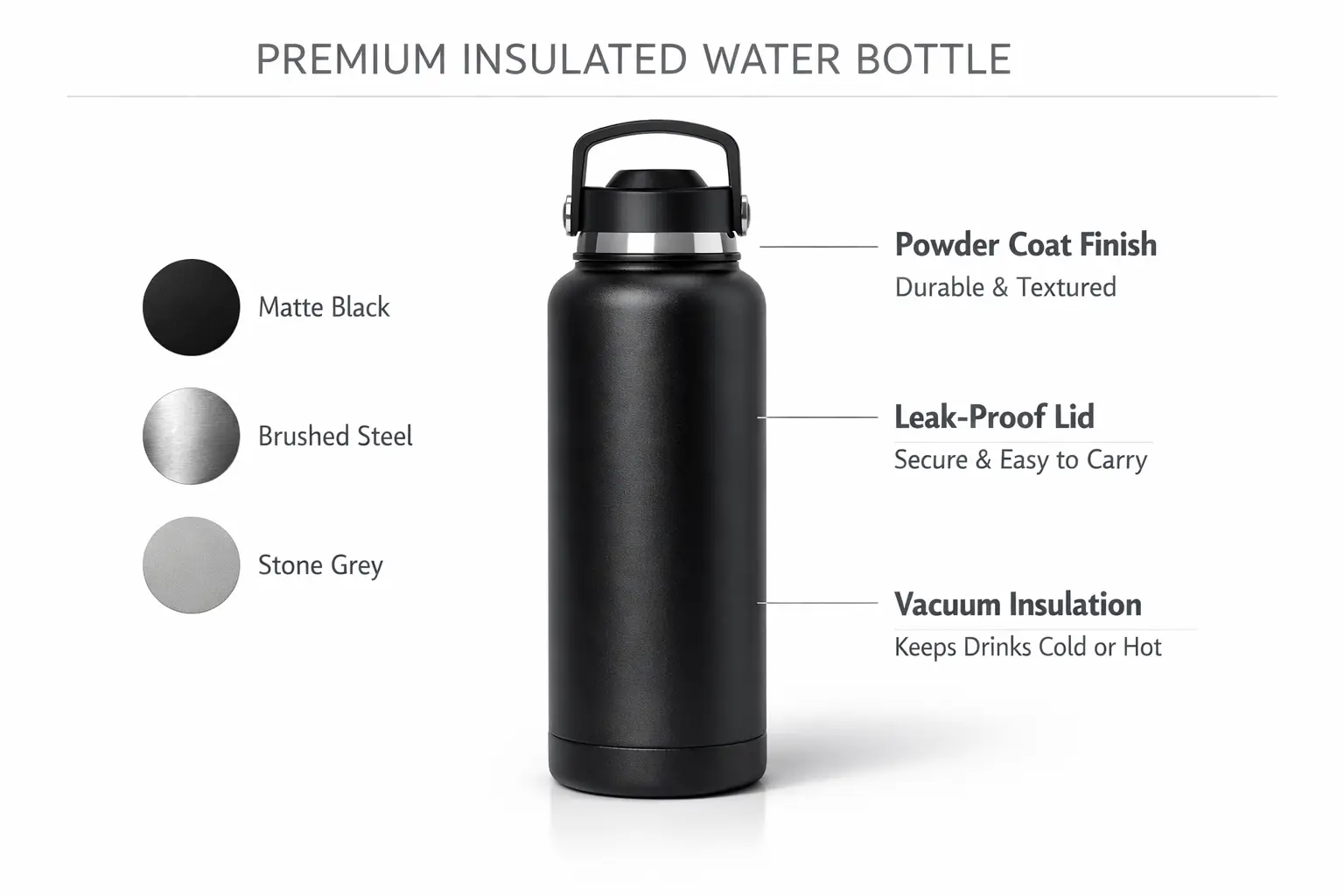
A product concept board with a central hero product shot, side material swatches, and short labeled annotations.

Annotated Product Concept Mood Board

Proven industry-leading Prompt best-practice generation framework

[product] + [board layout] + [callout labels] + [materials / colors] + [presentation style]

Dive Into Full prompt Documentation and SpecificationsUnwrap Full Detailed Breakdown

In-Depth prompt Breakdown

Create a product concept board for a premium insulated water bottle. Position one large hero shot of the bottle at the center, add three smaller material swatches along the side, and include short callout labels for "powder coat finish", "leak-proof lid", and "vacuum insulation". Use a crisp white background, understated black and stone-gray typography, soft studio lighting shadows, and a presentation style that aligns with a formal design review board.

Key Elements That Enable This Prompt to Produce Outstanding Results

This prompt asks for both product rendering and labeled layout, which aligns perfectly with GPT-4o's core strengths in instruction adherence and sharp text rendering.

Target Final Generated Outcome

A structured concept board for product reviews, brand strategy decks, or internal creative direction alignment.

Expert Pro Tips for Creative Professionals

  • Label every callout clearly instead of using vague phrases like "add some labels".
  • Use terms like board, sheet, deck, or review layout when you want to enforce a structured layout.
Diagram & How-To Explainer

Top-Tier prompt Alignment Benchmarks

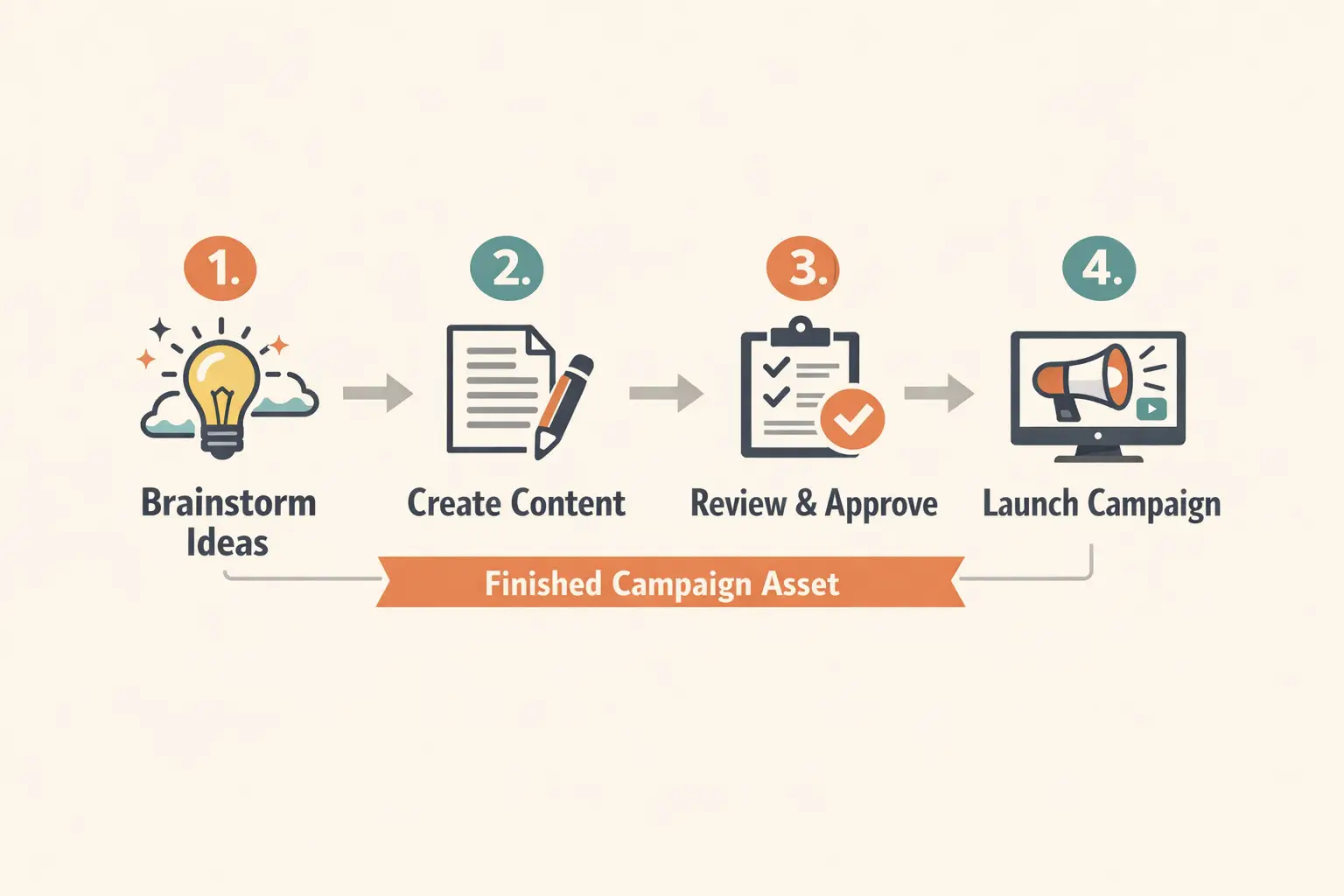
Perfect for how-to explainers that mix illustrations, short copy, and numbered steps.

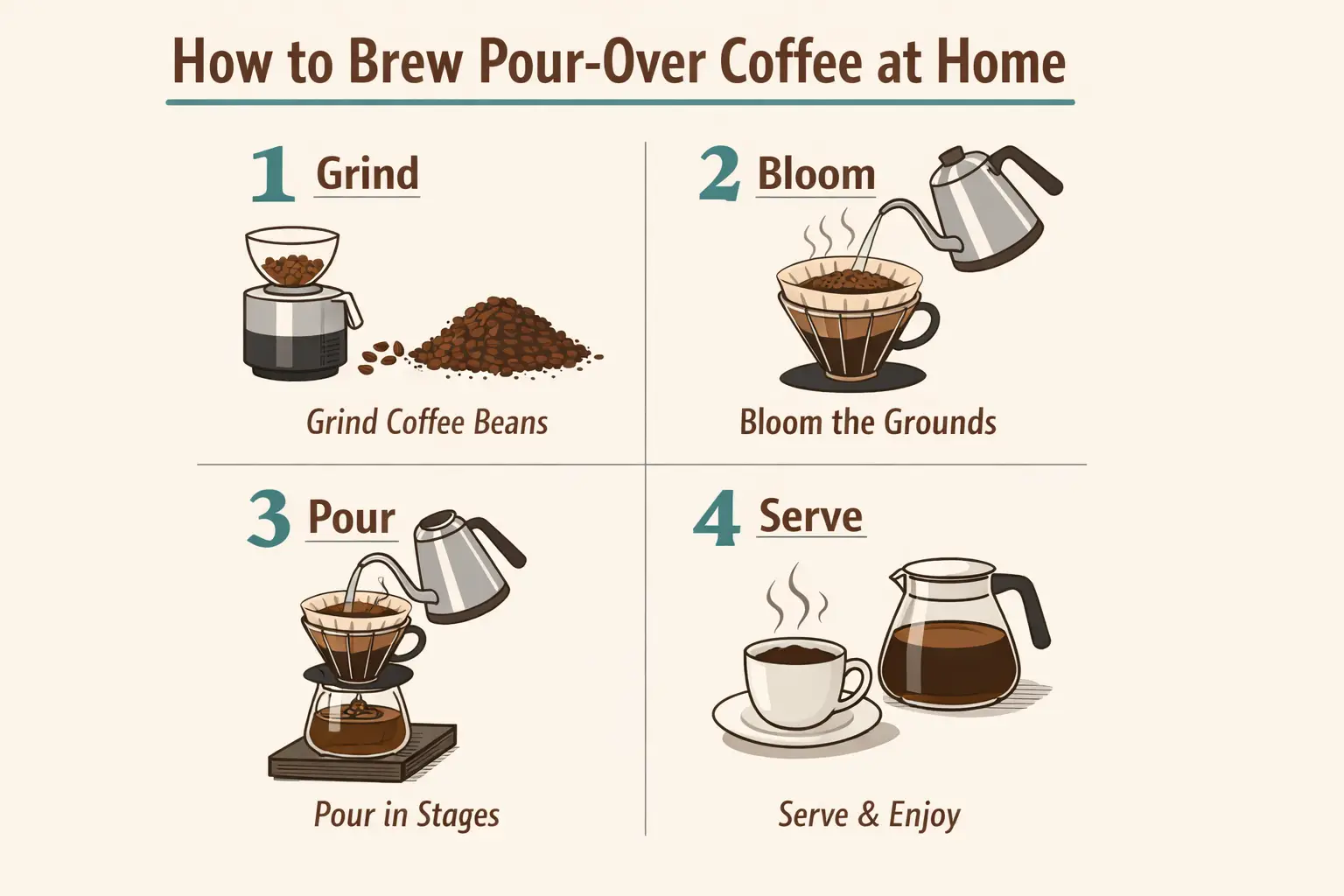
A step-by-step how-to explainer diagram with numbered panels and short, clear labels.

Step-by-Step How-To Explainer Graphic

Proven industry-leading Prompt best-practice generation framework

[topic] + [number of steps] + [label text] + [diagram style] + [background and colors]

Dive Into Full prompt Documentation and SpecificationsUnwrap Full Detailed Breakdown

In-Depth prompt Breakdown

Create a step-by-step explainer graphic for at-home pour-over coffee brewing. Add four numbered panels with short, clear labels: "1 Grind", "2 Bloom", "3 Pour", "4 Serve". Use simple editorial illustrations, clean icons, a warm cream background, deep brown text, muted teal accents, and a layout that feels like a magazine explainer instead of a cartoon.

Key Elements That Enable This Prompt to Produce Outstanding Results

GPT-4o shines with diagram-style prompts where numbered steps and short labels need to stay clear and easy to follow.

Target Final Generated Outcome

A concise instructional graphic for blog posts, onboarding materials, or education-focused marketing.

Expert Pro Tips for Creative Professionals

  • Keep labels concise to give the model the best chance to render them clearly and neatly.
  • State the exact number of panels or steps when layout accuracy is a priority.
Packaging Design Concept

Top-Tier prompt Alignment Benchmarks

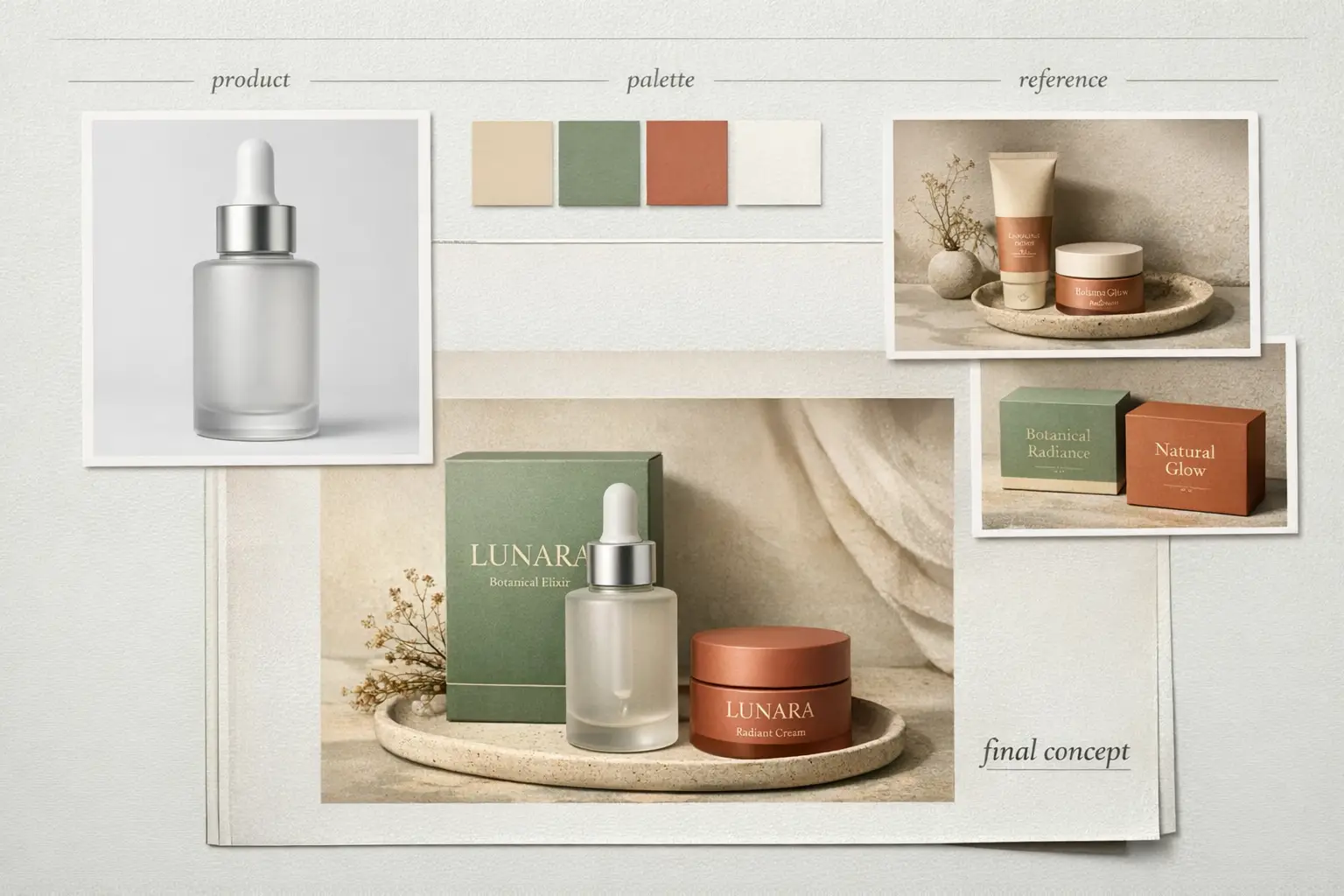
Ideal for packaging refresh boards that mix product details, label guidance, and short annotations.

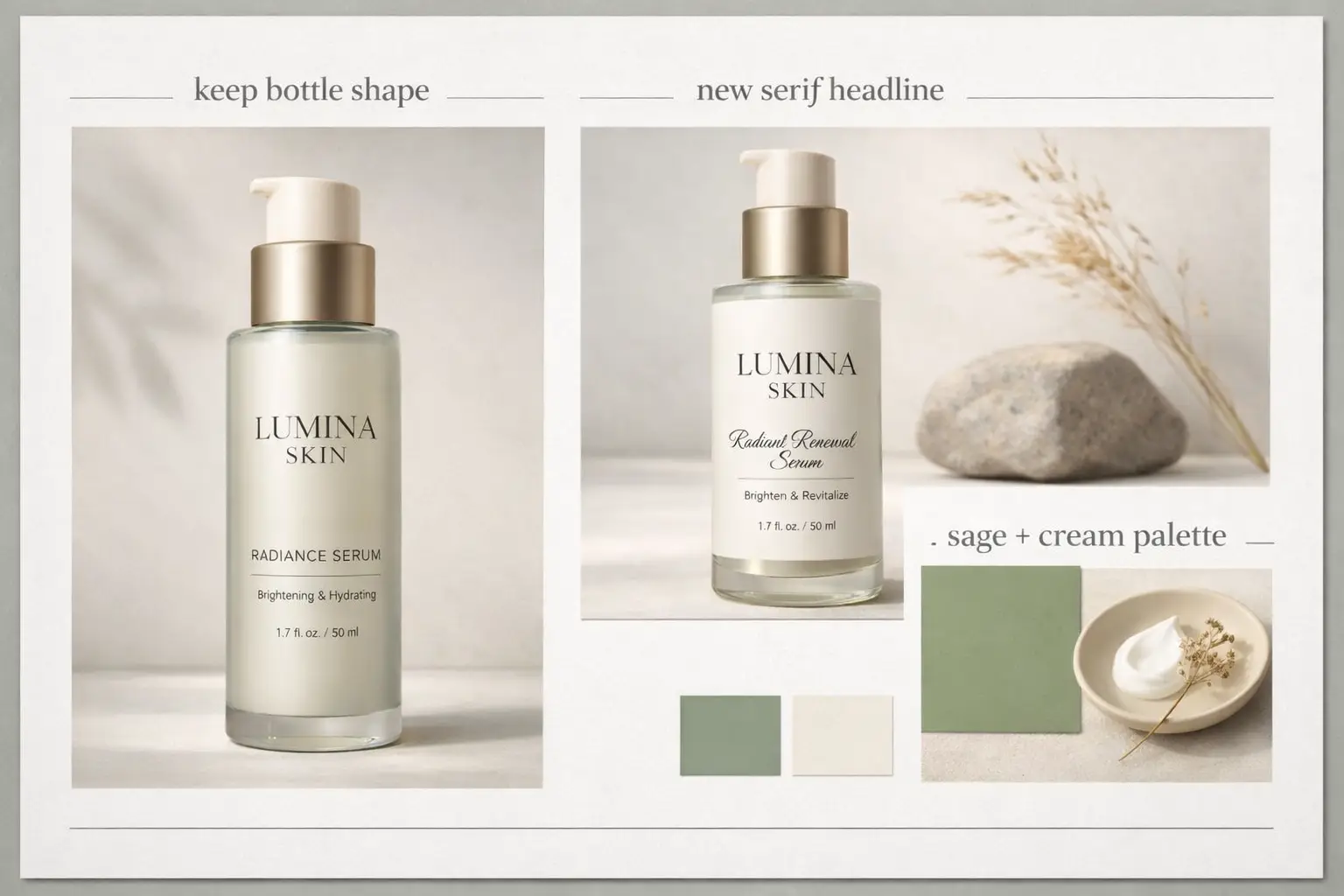
A refreshed packaging concept with a modern label system and streamlined product presentation.

Packaging Refresh Mood Board

Proven industry-leading Prompt best-practice generation framework

[product] + [what should stay] + [new label direction] + [palette] + [board layout]

Dive Into Full prompt Documentation and SpecificationsUnwrap Full Detailed Breakdown

In-Depth prompt Breakdown

Create a packaging refresh concept board for a premium skincare bottle. Highlight the bottle front-and-center, then add a secondary panel with a streamlined updated label design. Include short labels: "keep bottle shape", "new serif headline", and "sage + cream palette". Use soft studio lighting, an understated wellness-brand tone, and a polished art-direction board layout.

Key Elements That Enable This Prompt to Produce Outstanding Results

This prompt asks for a structured board with readable labels and a clear before-and-after vision, which aligns perfectly with GPT-4o's instruction adherence capabilities.

Target Final Generated Outcome

A packaging concept board for product updates, label exploration, or internal creative reviews.

Expert Pro Tips for Creative Professionals

  • Specify exactly which elements should stay unchanged so the board doesn’t shift to a different product design.
  • Add short labels if you want the board to feel like an official design review document.
When to Pick GPT-4o

Choose GPT-4o when readable text and multi-reference editing are a higher priority than open model weights

GPT-4o is the perfect choice when your project needs readable copy, multi-reference support, or multiple rounds of editing within a streamlined hosted platform. It prioritizes structured creative work with strict prompt adherence over local deployment options.

Choose GPT-4o When Your Brief Is Detailed and Layout Integrity Is Critical

Choose GPT-4o when your prompt needs tangible structure: exact copy, clear annotations, multiple reference images, or a pre-defined design hierarchy. It’s ideal when your image needs to convey a specific message, not just look visually appealing.

Pick a Different Model When Open Weights or Custom Visual Styles Are Non-Negotiable

Choose Z-Image if open model weights and local deployment are non-negotiable for your workflow. Go with Seedream 4 or Flux 2 when you favor a distinct built-in visual style and don’t need the specialized text and multi-reference strengths of GPT-4o.

Community Perspectives

Video Walkthroughs and Third-Party Reviews for GPT-4o Image Generation

These external videos offer third-party validation of GPT-4o’s text rendering, layout control, and multi-reference editing features. They’re included to complement the prompt patterns and guidance shared earlier, instead of replacing them.

Curated AI Video Generation Showcase Collection

FAQs

FAQ

Everything You Need to Know About Seedance 2.5

What core traits define GPT-4o image generation workflows?

GPT-4o image generation refers to the native image creation tools built natively within GPT-4o. As a full multimodal solution, OpenAI’s platform can generate entirely new images and refine existing assets, follow granular prompt prompts, produce crisp, easy-to-read text, and leverage conversational context to keep output consistent across multiple edits.

What types of projects does GPT-4o excel at?

GPT-4o shines for text-dense posters, advertising concepts, annotated learning materials, product mood boards, and edits that require consistent layout, crisp labeling, and intentional visual hierarchy in the final output.

Does GPT-4o offer support for image-to-image on this page?

Without a doubt. Inside this page’s workflow, GPT-4o delivers full support for both text-to-image and reference-guided image edits. Upload up to five reference images to make sure your final output aligns exactly with a specific product design, color palette, layout structure, or targeted visual aesthetic.

What aspect ratio options are available for GPT-4o on this page?

GPT-4o offers 1:1, 2:3, and 3:2 within this page’s workflow. These selections cover square social media assets, vertical portrait layouts, and standard horizontal campaign visuals to fit every marketing scenario.

What’s the best way to craft stronger prompts for GPT-4o?

Start by prioritizing clarity and specific details first. Begin by naming your central subject, map out every element you want in the frame, break down the visual hierarchy, use quotation marks for non-negotiable exact text, and separate required elements from optional stylistic choices. GPT-4o delivers optimal results when your prompt reads like a formal creative brief, rather than a messy jumble of keywords.

When should you choose GPT-4o over Z-Image or Seedream 4?

Choose GPT-4o if readable text, multi-reference support, and streamlined hosted editing are your top priorities. Select Z-Image when open model weights and local deployment are non-negotiable for your project workflow. Opt for Seedream 4 if you favor a more stylized, cinematic default visual aesthetic and don’t have strict text rendering requirements.

Is GPT-4o capable of generating readable text within images?

Absolutely yes. OpenAI cites crisp, readable text generation as a core strength of GPT-4o image creation, making it perfect for posters, café menus, product labels, technical diagrams, and annotated marketing materials.

Is it allowed to use GPT-4o generated images for commercial purposes?

For professional commercial use, treat GPT-4o’s generated outputs the same as all hosted AI-created content: review every piece for brand alignment, legal compliance, and platform guidelines before publishing. Commercial usability will shift depending on your unique use case and the platform’s terms of service.

Still have unanswered questions? Our dedicated support team is here to help you

Comparable Models

Compare GPT-4o to Other Image Models on This Platform

If GPT-4o isn’t the right match for your workflow, use these linked model pages to compare text rendering capabilities, editing styles, local deployment options, and default visual aesthetics.

Z-Image Image Generator

Compare GPT-4o with Z-Image to weigh the tradeoffs between hosted editing and open model weights plus local deployment options.

Browse Our Curated List of Related AI Models

Seedream 4 Image Generator

Try Seedream 4 if you favor a more stylized, cinematic default visual style for your image projects.

Browse Our Curated List of Related AI Models

Flux 2 Image Generator

Use Flux 2 to access a distinct prompt output style and an alternative path to high-quality, polished image results.

Browse Our Curated List of Related AI Models

Qwen 2 Image Generator

Compare GPT-4o with Qwen 2 to explore another hosted image workflow focused on prompt-driven generation and reference-based editing.

Browse Our Curated List of Related AI Models

Test GPT-4o Right Now

Open the generator, begin with a detailed prompt, and upload up to five reference images if you want your final output to closely align with your specific design brief.

Launch GPT-4o Generator
Resources
  • Blog
  • Create
  • Scenes
  • Works
  • Prompts
  • Image to Prompt
  • Batch Image to Prompt
Company & Legal
  • About
  • Contact
  • Privacy Policy
  • Terms of Service
  • Refund Policy
Image Models
  • Z-Image
  • GPT-4o
  • Flux 2
  • Flux 2 Pro
  • Flux 2 Klein
  • Qwen Image 2
  • Seedream 4.0
  • Seedream 4.5
  • Seedream 5.0
  • Grok Imagine
  • Nano Banana Pro
  • Nano Banana Flash
  • Nano Banana 2
Video Models
  • Google Veo 3.1
  • Google Veo 3.1 Lite
  • Google Veo 3.1 Pro
  • Seedance 1.5 Pro
  • Seedance Fast
  • Seedance Quality
  • Seedance 2.0
  • Hailuo 02
  • Kling v2.6
  • Kling v2.5 Turbo
  • Kling v2.1
  • Kling v2.1 Master
  • Kling O1
  • Kling v3.0
  • Kling v3.0 Pro
LogoSeedance 2.5 AI

Powered by Seedance 2.5 AI | Fast Video Generation | Professional Quality

Email

This website is an independent third-party service built around Seedance-related workflows. We are not the official website of ByteDance or Seedance. Seedance and related trademarks belong to their respective owners.

© 2026 Seedance 2.5 AI All Rights Reserved. DREAMEGA INFORMATION TECHNOLOGY LLC